Direct to Director. End-to-end integration. Open source.
DirectorLink is a free, open-source driver for Control4 and an app for phones and computers. Control lights, AC, blinds, music, cameras and gates at home and away. Make one-tap scenes and run them by the clock, the sun, the weather, or when you arrive home. Get the doorbell and other alerts on your phone. You make the changes yourself, and your installer still sees everything in Composer. In English, Hebrew, Spanish and Italian.
See it
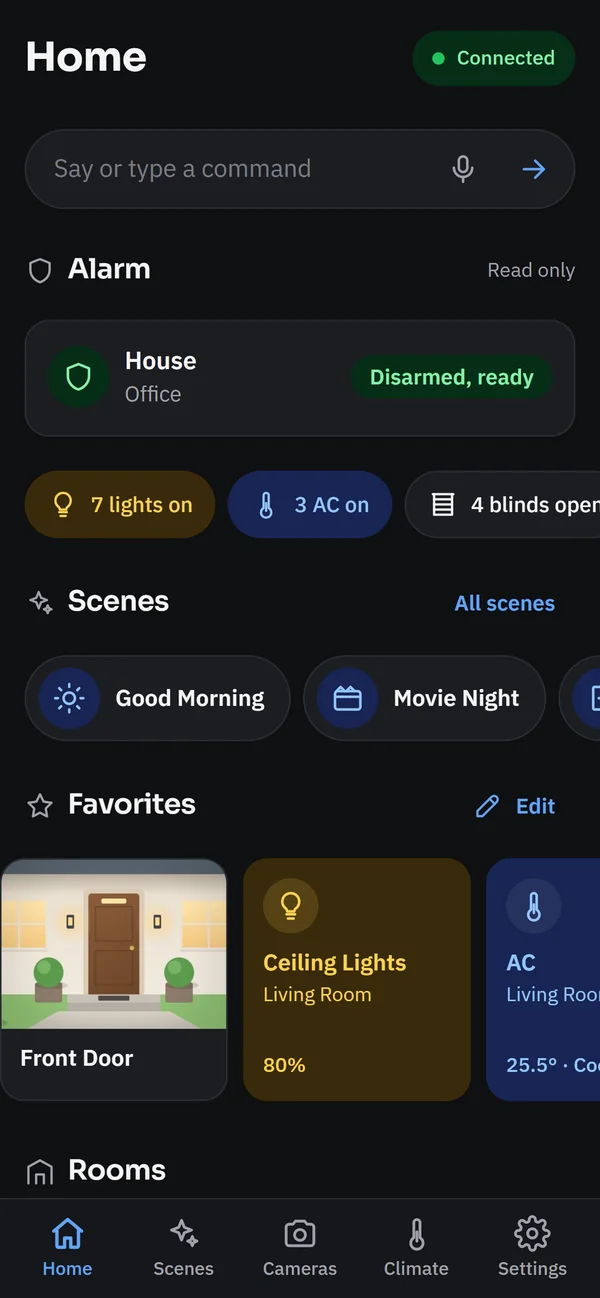
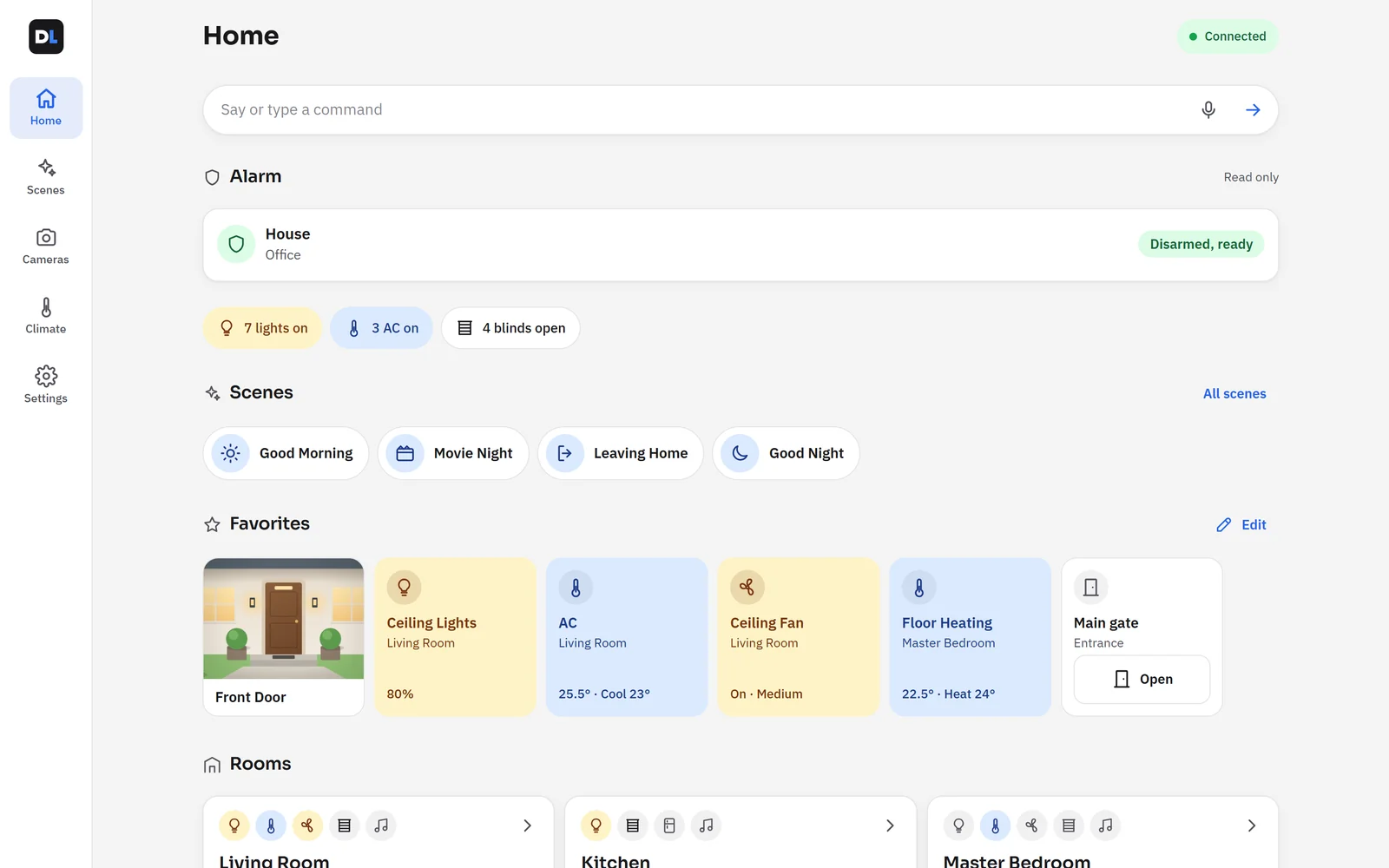
Screens from a demo home. The same app runs on phones, tablets and computers, in light or dark.
-
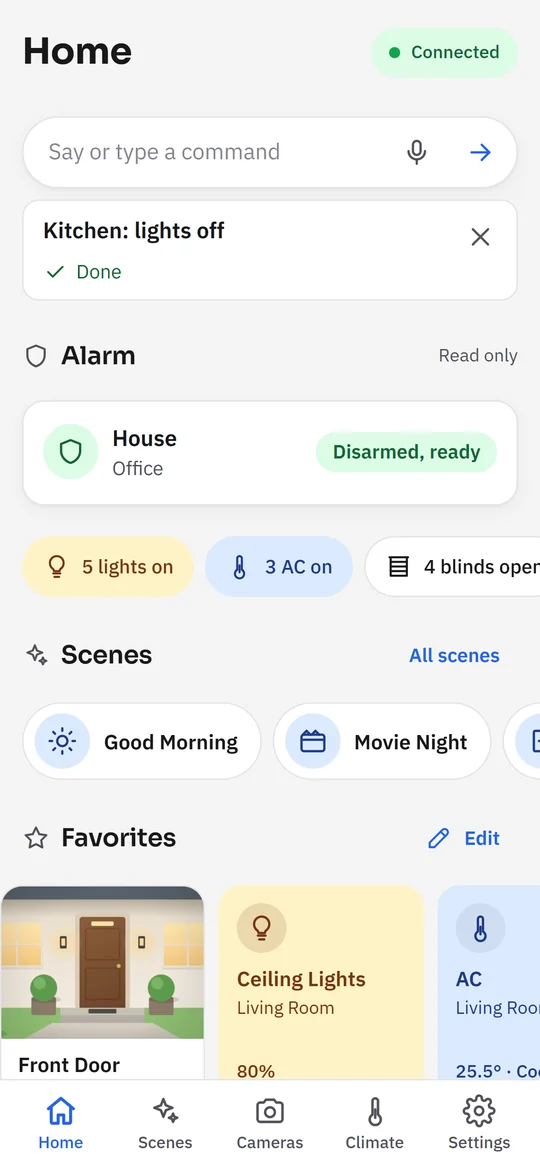
Say or type it “Kitchen lights off” or “Living room AC to 23”, by your own names. Understood on your phone, without AI. -
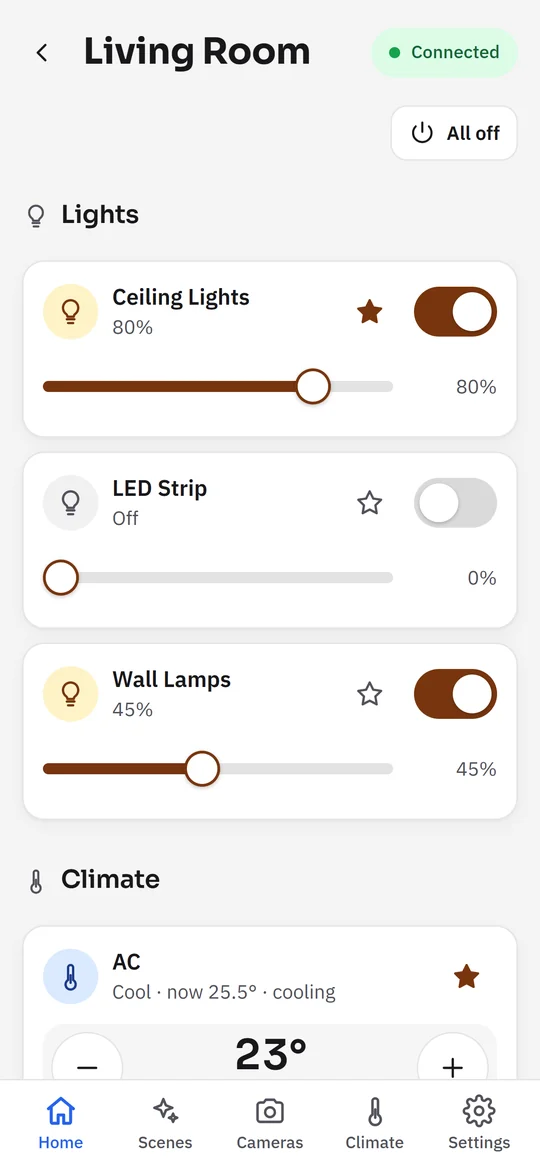
Every room Lights with switches and dimmers, the AC, fans and blinds. -
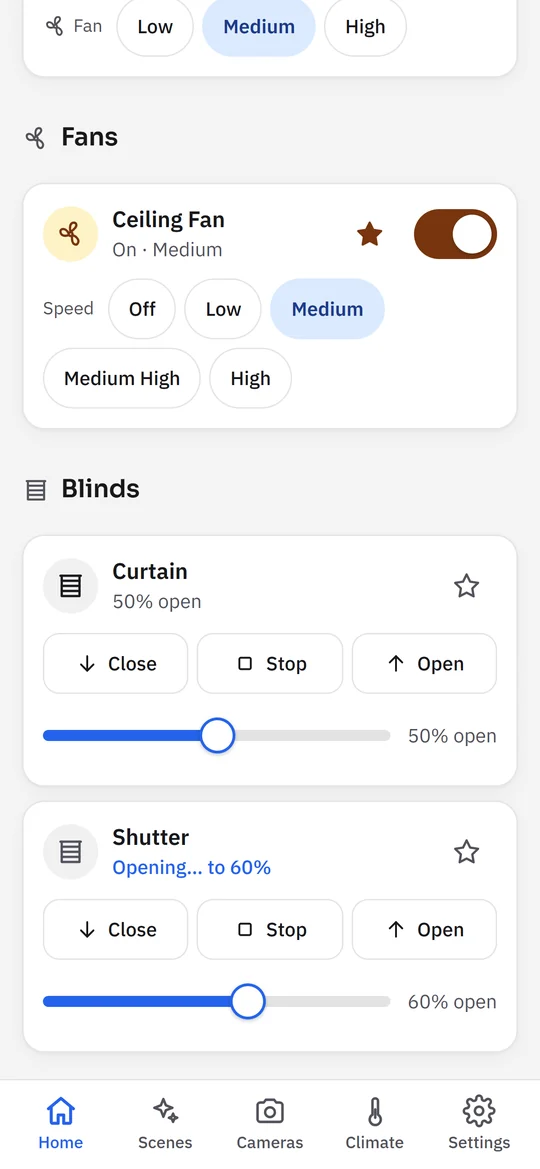
Blinds They show where they’re going, with Stop at hand. -
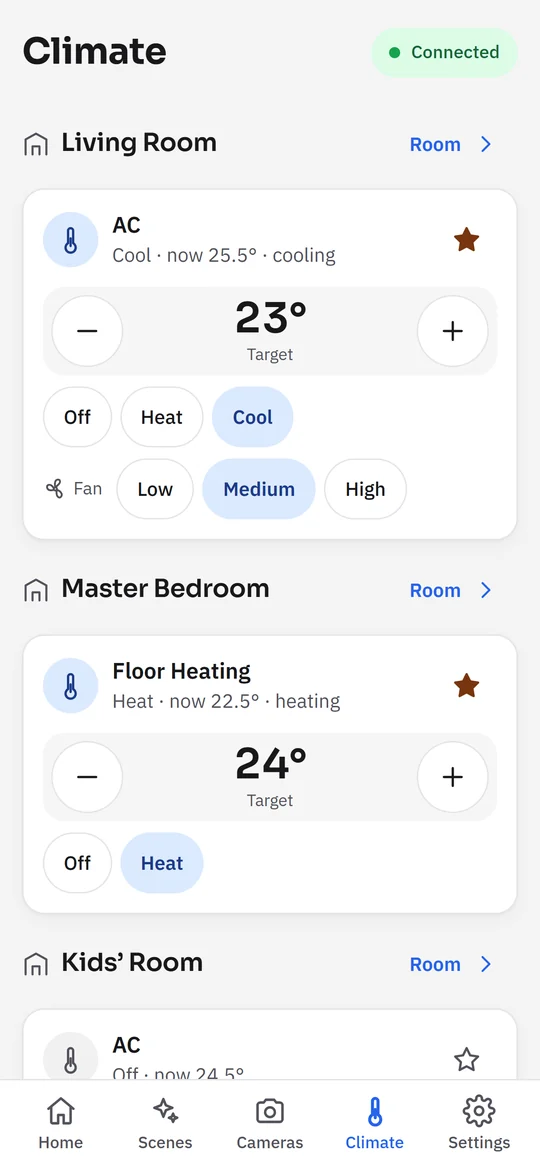
Climate AC and floor heating, room by room. -
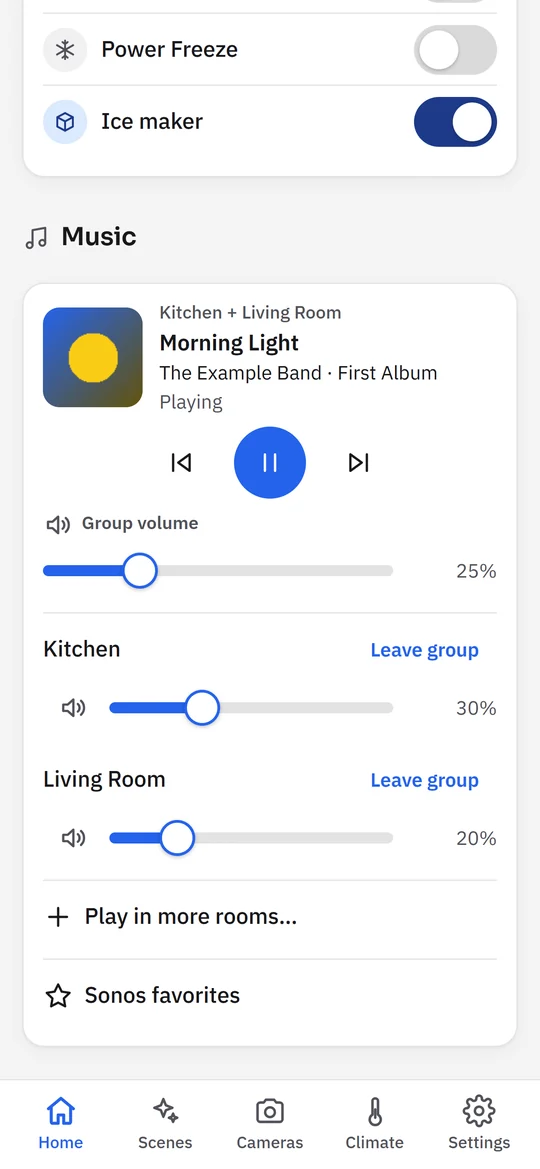
Music Sonos rooms play together, with one volume for the group. -
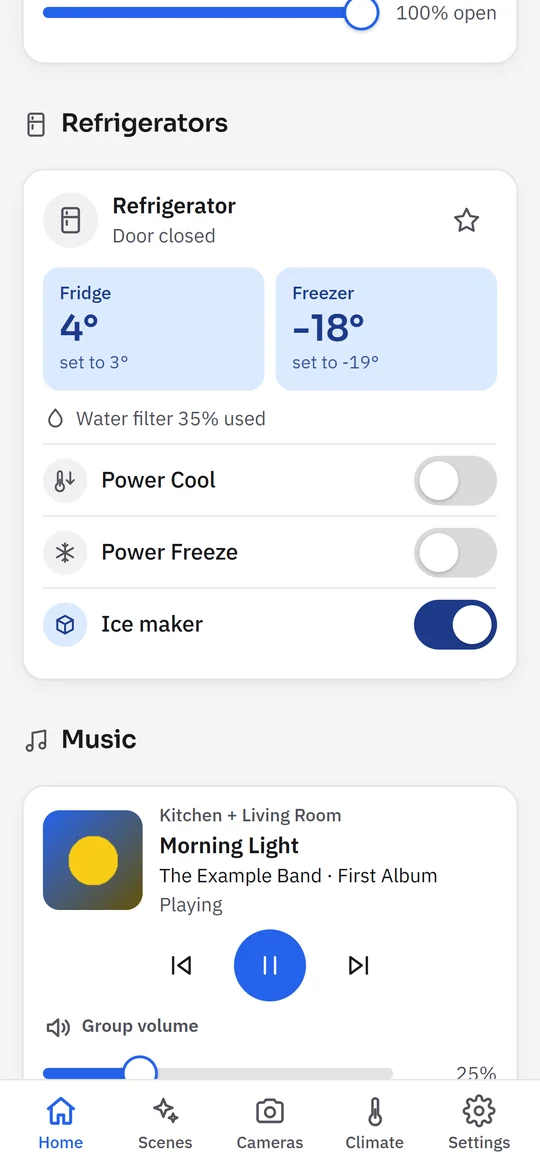
Refrigerator Temperatures, the door and the water filter, and its features at a tap. -
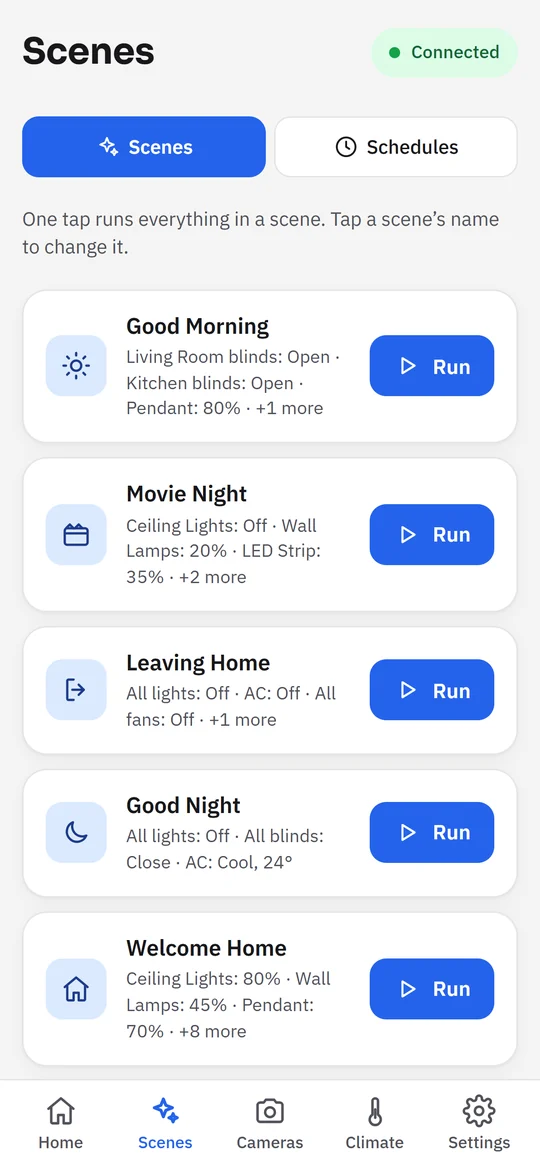
Scenes One tap for lights, AC and blinds. -
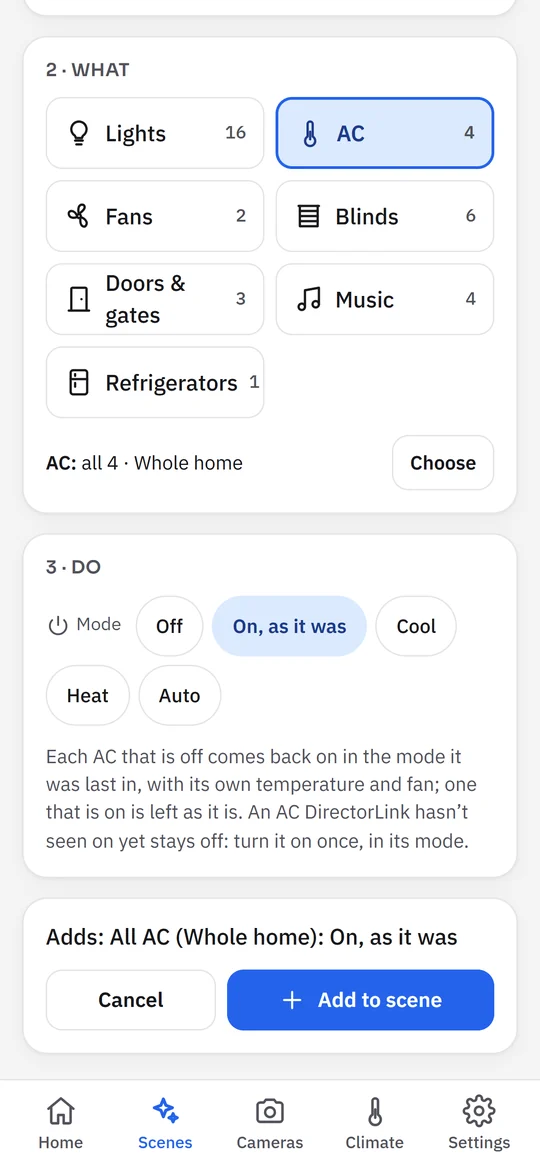
AC as it was A scene can turn each AC back on as it was, or set a mode and keep each one’s temperature and fan. -
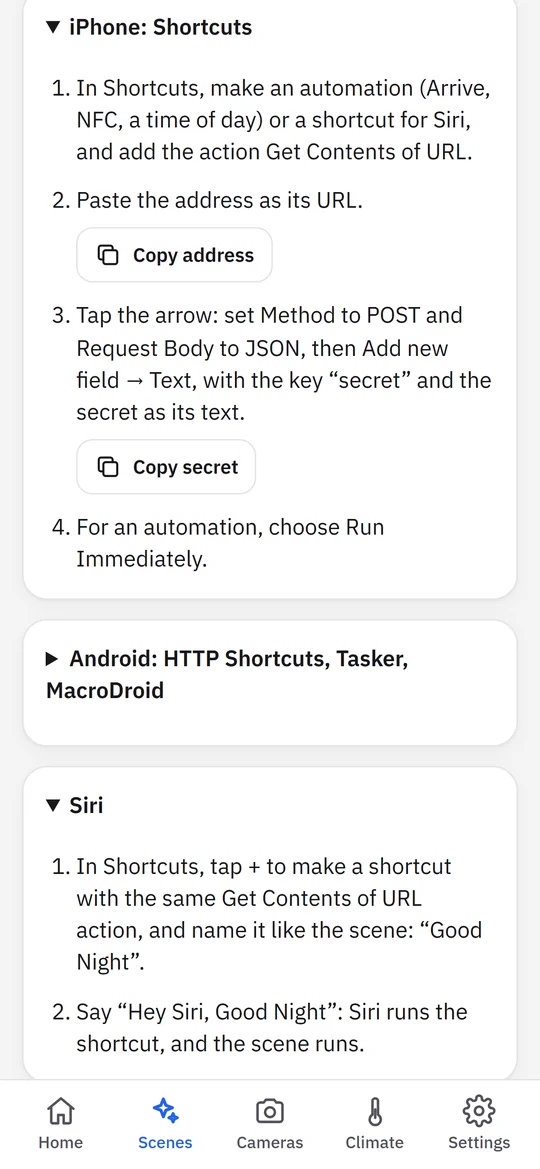
Siri and Shortcuts A scene's private link runs it when you arrive home, or when you ask Siri. -
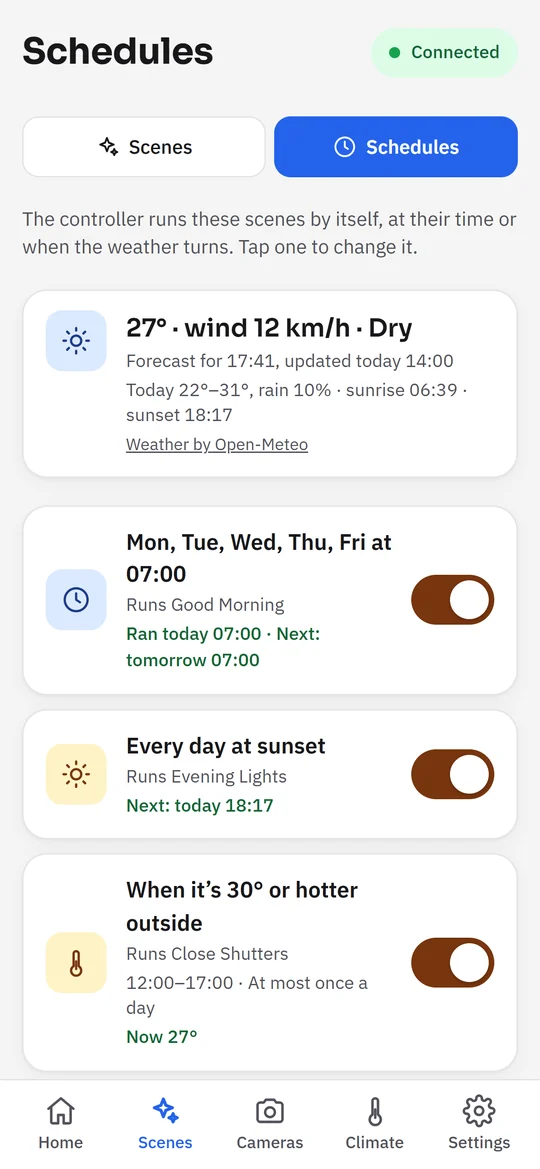
Schedules By the clock, the sun or the weather. The controller runs them on its own, even without the internet: it keeps a 5-day forecast. -
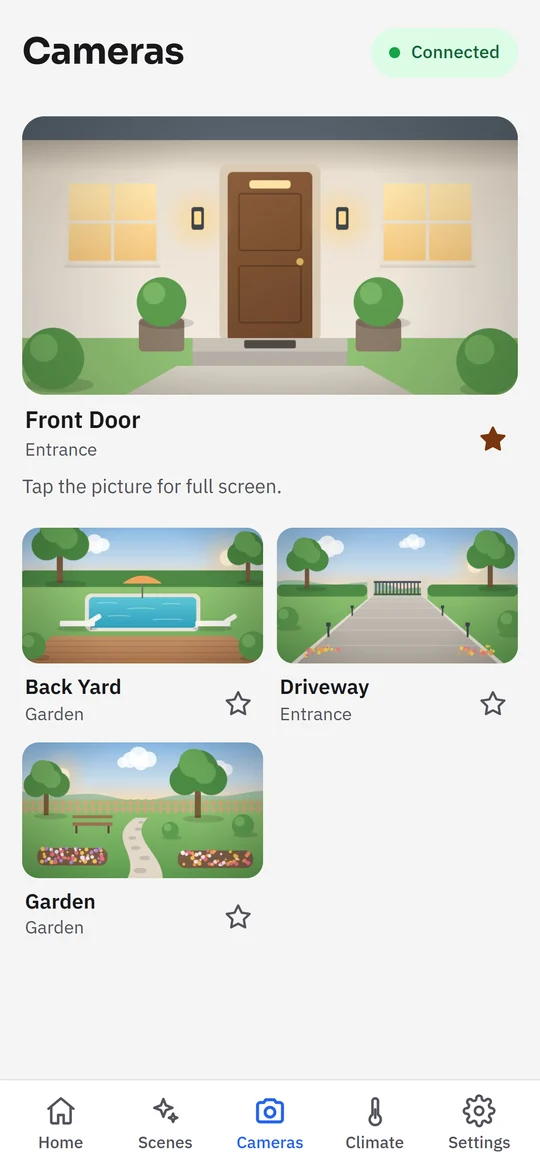
Cameras Every camera at a glance, full screen with a tap. -
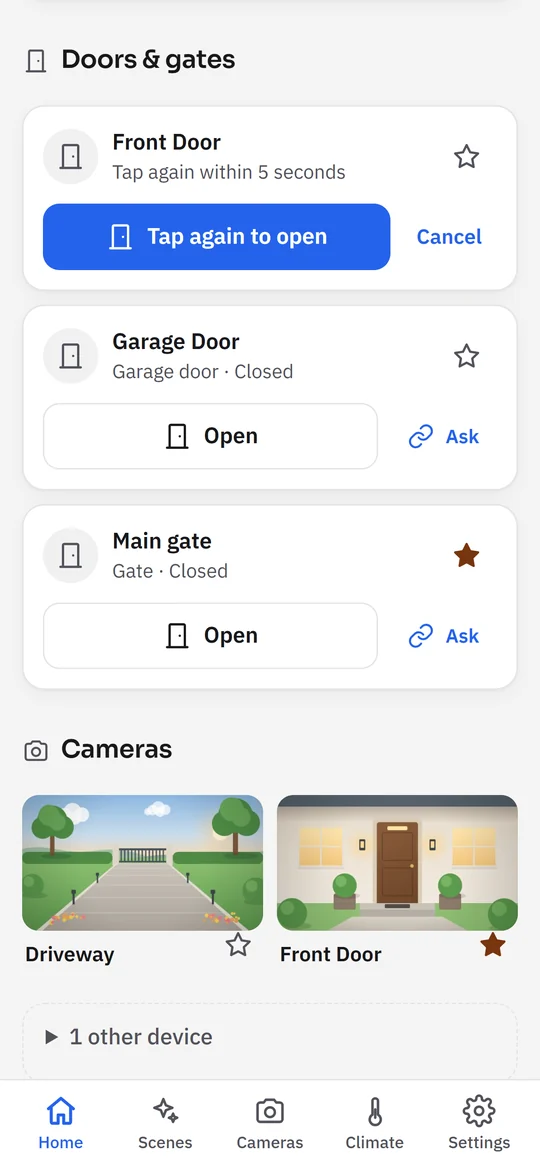
Doors and gates A second tap to open, so nothing opens by accident. Gates and doors on Control4’s relay controllers can show whether they’re closed. -
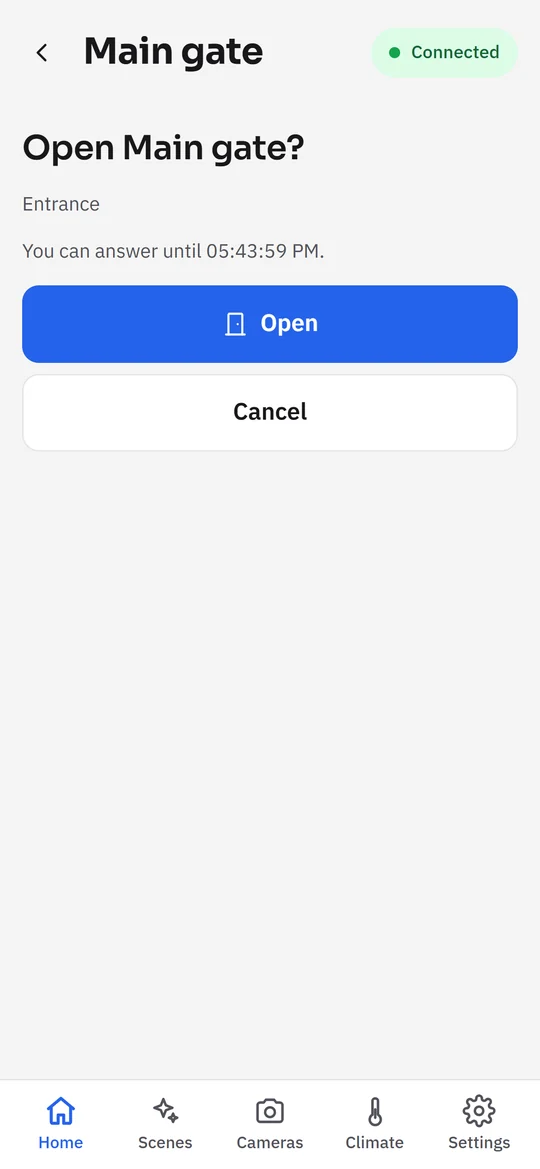
Ask before opening Arriving home asks you first: only your Open opens the gate. -
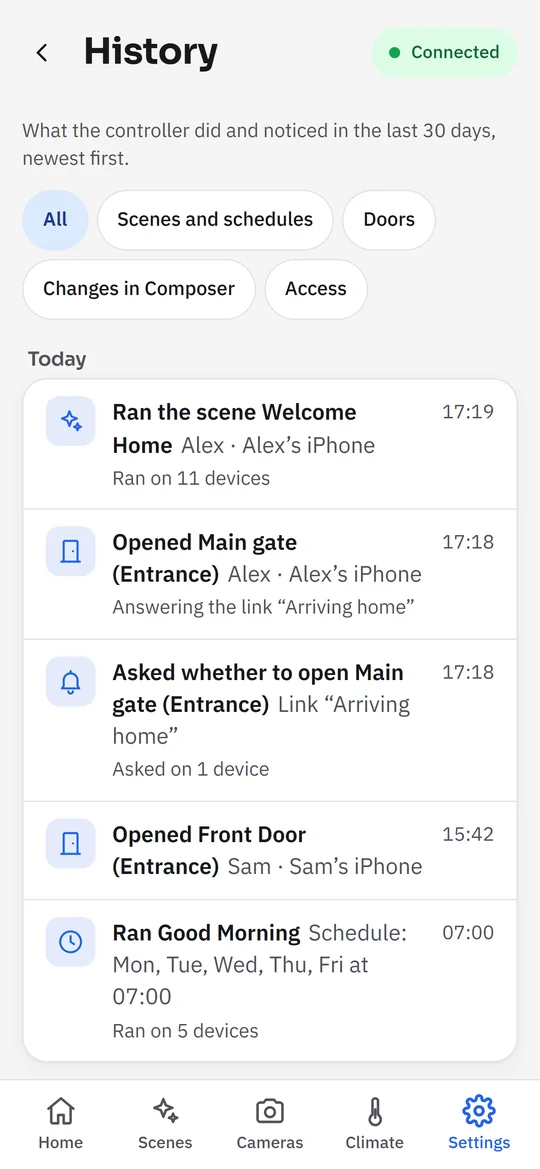
History What ran, who opened which door, and why. -
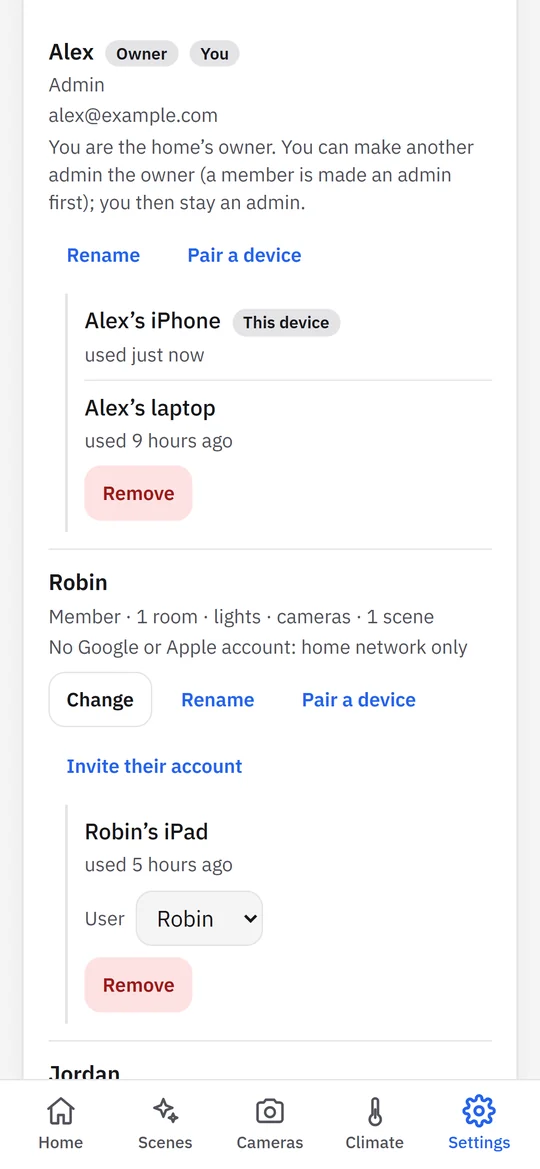
Users Admins and members, each with their own devices; members get the rooms, devices and scenes you choose. -
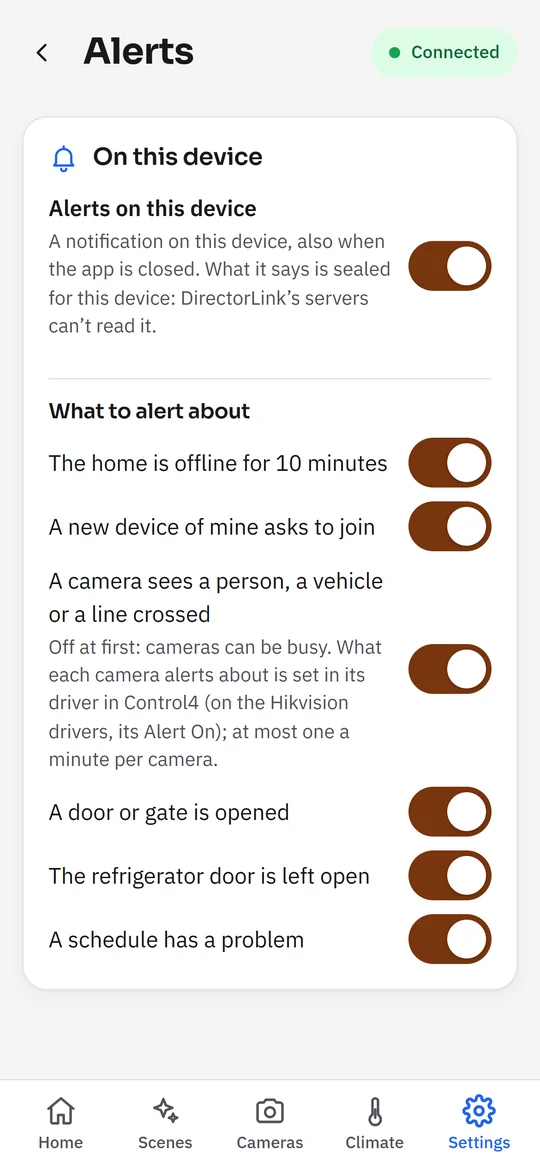
Alerts On a page of their own. Each device chooses: a camera that sees someone, a door opened, the refrigerator left open. -
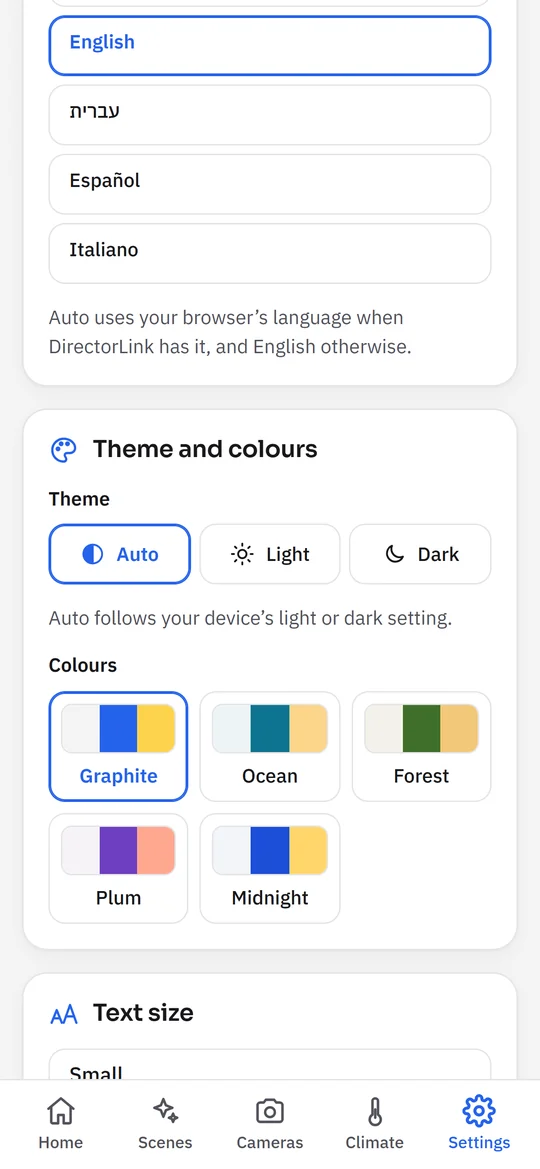
Language and look English, Hebrew, Spanish or Italian, a theme and colors for each user, and a text size for each device. -
Light or dark Each user picks their own theme and favorites.
How it works
-
Install the driver
Add DirectorLink to the Control4 project in Composer Pro. It finds the rooms and devices by itself and loads without a reboot.
-
Pair at home
On a computer at home, open the app and enter the controller's address (or tap Find my controller) and the 8-digit pairing code from Composer (DirectorLink → Actions → New Pairing Code). The installer can read it out for you. A code lasts 15 minutes and works once.
-
Use it anywhere
Turn on Remote Access in Composer, sign in with Google or Apple, and link the home. Add your phone with Join from another device, and invite the family by email.
Needs a Control4 controller with OS 3.3.0 or newer. DirectorLink is used every day in a real home: tell us what works on GitHub.
What you get
-
At home and away
At home the app talks to the controller directly, locked with its own key. Away, and on iPhone, it goes through your account (Google or Apple), locked end to end: our servers pass it along but can't read it.
-
Every device in one app
Lights and dimmers, AC and floor heating, fans, blinds, cameras, doors and gates, the doorbell, and the alarm: its status, and arming and disarming with your code. Samsung refrigerators with the free DirectorLink driver.
-
Music
Your Sonos rooms in the app: what's playing, play, pause, skip, volume and your Sonos favorites. DirectorLink talks to the speakers on your home network.
-
Scenes
One tap for lights, AC, blinds, music and gates. Pick single lights, or copy the house as it is right now. Anything that opens a door asks for a second tap.
-
Schedules
By the clock, at sunrise or sunset, or when it gets hot, windy or rainy (weather from Open-Meteo). The controller runs them on its own.
-
When you arrive home
A scene can have a private link for your phone's own automations: iPhone Shortcuts, Android apps, Siri or an NFC tag. Never for doors or gates. How to set it up.
-
Alerts on your phone and TV
The doorbell, a person, a car or a package at a camera of DirectorLink Drivers (Hikvision, UniFi Protect, DoorBird), a door or gate opened and by whom, the fridge door left open, the home offline, a schedule that had a problem. Each device picks its own, and what an alert says is locked for that device. The same alerts can pop up on the home's LG, Google TV and Android TV sets, straight from the controller.
-
History
What ran, what didn't and why, who opened which door, and what changed in Composer, for the last 30 days. For admins.
-
Backups
Everything DirectorLink keeps, in a file locked with your password, or every night to your account, locked with a password only you know.
-
The family, with the right access
Admins, and members with the rooms, devices and scenes you choose: one set of permissions for each user, on up to five devices. Each user keeps their own language, theme and favorites. A new phone joins with a code from a device you already use.
-
Visible to your installer
Composer shows what DirectorLink automates and what it ran last, and one switch pauses all its schedules.
-
A real API
Rooms, lights, climate, blinds, cameras, doors, music, scenes and schedules as REST resources, described by OpenAPI 3.1, with a key and a role for every app.
Arrive home, automatically
Your phone already knows when you get home. Let it run a scene: lights on, AC on, blinds up. Your location stays on your phone; DirectorLink only gets the run.
-
Make a link
In the app, open a scene without doors or gates, such as Arriving Home, then Link for automations → Make a link. Copy the address and the secret.
-
iPhone: Shortcuts
Automation → New → Arrive, pick your home, Run Immediately. Add Get Contents of URL with the address: Method POST, Request Body JSON, a Text field named
secretholding the secret. -
Android
In MacroDroid, Tasker or HTTP Shortcuts, a location (geofence) trigger with an HTTP request: POST to the address, with the secret as the body.
Do the same with Leave for a Leaving Home scene, or with an NFC tag by the door. It needs Remote Access and the home linked to your account. Every run is in History, and Replace or Remove ends a link at once, for example when a phone is lost.
By voice: name a shortcut like the scene and say “Hey Siri, Good night”. For the gate, a link that asks: your phone shows “Open the main gate?”, and only your tap opens it.
DirectorLink Drivers
Free, open-source Control4 drivers for other devices, made by DirectorLink. Each works on its own: Samsung refrigerators and washers (beta), Hikvision and UniFi Protect cameras, DoorBird doorbells, PIMA FORCE alarm panels, and pop-ups on LG, Google TV and Android TV sets so far.
DirectorLink in numbers
- homes linked to an account
- people with an account
- driver downloads
Counted once an hour. Totals only: nothing about any one home.